
Tennis Demo: Included Pages & How to Customize It
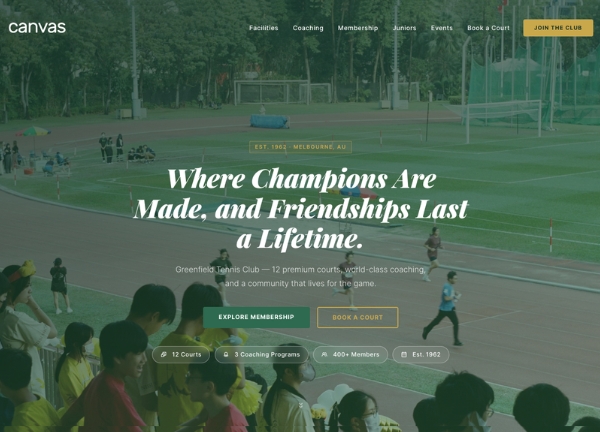
Greenfield Tennis Club is the Canvas demo for neighbourhood clubs, academies, and coaching pros who want a site that feels as organised as a tournament draw. The layout is stretched and light, set against the default Canvas fonts and a deep court-green accent (#2d6a4f) that grounds the brand in the sport without leaning on clichés. Out of the box it includes a homepage, club and coaching pages, membership and pricing details, a courts and facilities overview, a schedule view, a news and results section, and a contact page, so a club can launch a complete site and simply swap in its own copy, photos, and booking links.
The design personality is confident, tidy, and clubhouse-inspired: generous spacing, clear hierarchy, and section blocks that make it easy to surface court hire, lesson packages, league standings, and upcoming events. Because it inherits every default Canvas feature, the page is responsive, SEO-ready, and quick to customise, whether you are running junior programs, social leagues, or competitive squads.
What's included
| Page | Description |
|---|---|
demo-tennis.html |
The single Greenfield Tennis Club landing page that combines the club story, membership tiers, coaching team, court facilities, schedule, latest results, and a contact form into one long-form, scrollable homepage. |
The demo's own styles live in demos/tennis/tennis.css. Shared framework styles come from style.css and css/font-icons.css.
The full editing guide is in the dashboard
Step-by-step customization, the complete settings reference, and copy-paste code are available to registered Canvas users. Creating an account is free.
Required files
CSS: demos/tennis/tennis.css