
Cafe Demo: Included Pages & How to Customize It
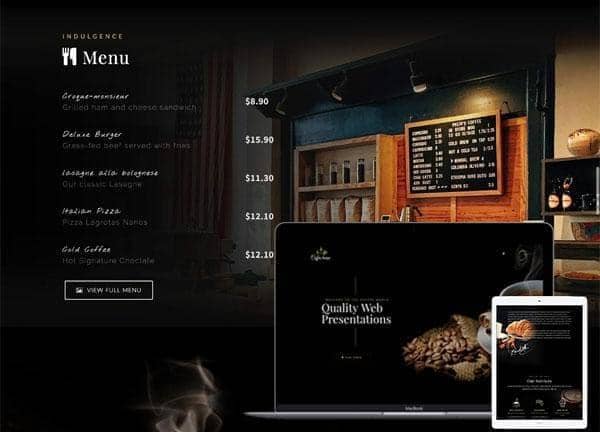
Built for independent coffee shops, neighborhood cafes, and small roasters, the Cafe demo gives Canvas a warm, editorial feel tailored to food and beverage businesses. It pairs a rich coffee brown palette with a playful handwritten accent font, creating a layout that feels both polished and approachable for promoting menus, locations, and the story behind the brand.
The demo ships with a single landing page that covers everything a cafe needs to convert visitors: a fullscreen hero, an about section, signature menu categories with pricing, a reservation form, and a contact block with map and hours. Layout traits like the stretched container, transparent header, and overlay navigation menu keep the photography and typography front and center, while the dark styling lets product shots and latte art pop without distraction.
What's included
| Page | Description |
|---|---|
demo-cafe.html |
A single-page cafe and coffee house site featuring a fullscreen hero, about story, signature menu with prices, online reservation form, and contact section with map and opening hours. |
The demo's own styles live in demos/cafe/cafe.css. Shared framework styles come from style.css and css/font-icons.css.
The full editing guide is in the dashboard
Step-by-step customization, the complete settings reference, and copy-paste code are available to registered Canvas users. Creating an account is free.
Required files
CSS: demos/cafe/cafe.css