
Podcasts Demo: Included Pages & How to Customize It
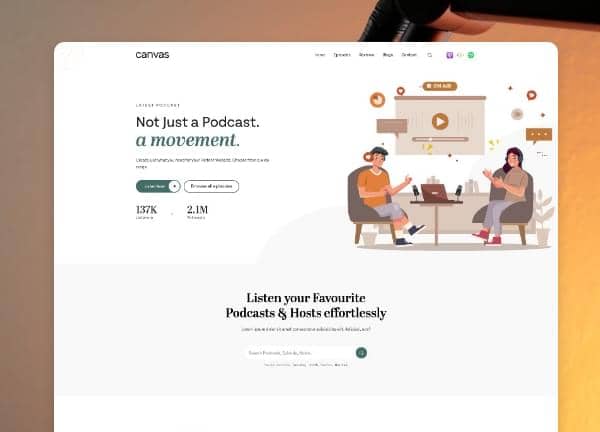
Canvas includes a Podcasts niche demo crafted for creators, independent audio studios, and media brands who want a clean stage for serialized storytelling, interviews, and curated talk content. The demo ships with two purpose built pages that cover launch surfaces and long form listening hubs, paired with a calm editorial layout, generous episode metadata, and the Canvas option of stretched layouts, border bottom 0 styling, and a transparent header that lets cover art carry the visual weight.
Beyond the home and episode views, the demo leans into a thoughtful reading experience: structured show notes, host and guest credits, embedded players, and a quiet palette anchored by the #436E67 theme color so typography and audio preview imagery stay in focus. It is designed for anyone launching a podcast network, a single flagship show, or a seasonal series who needs a site that feels native to the medium rather than borrowed from a generic blog template.
What's included
| Page | Description |
|---|---|
demo-podcasts.html |
Acts as the landing and discovery page for the podcast network, surfacing featured shows, latest episodes, host spotlights, and subscription links. |
demo-podcasts-2.html |
Serves as a dedicated show and episodes hub with season filters, full episode listings, embedded audio players, and detailed show notes for each entry. |
The demo's own styles live in demos/podcasts/podcasts.css. Shared framework styles come from style.css and css/font-icons.css.
The full editing guide is in the dashboard
Step-by-step customization, the complete settings reference, and copy-paste code are available to registered Canvas users. Creating an account is free.
Required files
CSS: demos/podcasts/podcasts.css