
Project Demo: Included Pages & How to Customize It
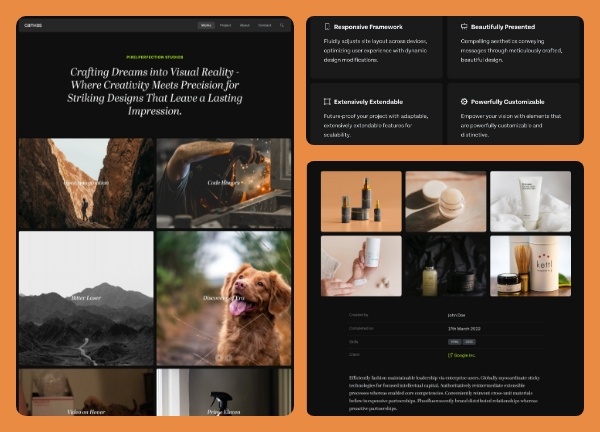
The Project demo is a starting point for studios and agencies who want to showcase creative work without building from scratch. Built on the Canvas HTML5 template, it includes four ready-to-edit pages that cover everything from your studio's story to a single project's deep dive. The design leans into a darker, more cinematic feel that lets photography and case study imagery take center stage.
This demo pairs a stretched layout with a transparent, floating header so navigation stays out of the way while still being one click away. You get sensible default typography and a neutral theme color that won't compete with your portfolio pieces, making it easy to drop in your own branding and ship a polished studio site quickly.
What's included
| Page | Description |
|---|---|
demo-project.html |
The homepage portfolio that lists selected works with quick links into each case study. |
demo-project-about.html |
A studio overview page covering team background, approach, and credentials. |
demo-project-contact.html |
A focused contact page with a project inquiry form and studio details. |
demo-project-single.html |
A long-form case study template for a single project, including imagery, process notes, and results. |
The demo's own styles live in demos/project/project.css. Shared framework styles come from style.css and css/font-icons.css.
The full editing guide is in the dashboard
Step-by-step customization, the complete settings reference, and copy-paste code are available to registered Canvas users. Creating an account is free.
Required files
CSS: demos/project/project.css