
Coworking Demo: Included Pages & How to Customize It
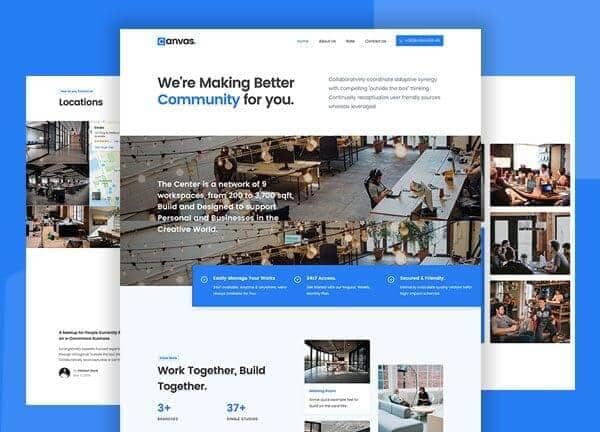
Canvas ships with a dedicated Coworking demo built for shared workspaces, coliving communities, and independent operators who want a clean, conversion-ready site without starting from scratch. The demo pairs a friendly editorial tone with a focused layout, using the Poppins typeface and a blue accent (#267DF4) to keep member-facing information clear and easy to scan. Five prebuilt pages cover the essentials every coworking brand needs: a homepage that introduces the space, an About page that tells your story, a Contact page with location and inquiry details, a Pricing page that lays out membership tiers, and a Single page that highlights an individual desk or suite.
What's included
| Page | Description |
|---|---|
demo-coworking.html |
A welcoming homepage for Coworking & Co-Living Spaces that introduces the brand, surfaces key amenities, and routes visitors to membership and tour options. |
demo-coworking-about.html |
An About Us page that shares the coworking community's story, mission, and the people behind the workspace. |
demo-coworking-contact.html |
A Contact page with location details, inquiry form, and direct ways to reach the coworking team. |
demo-coworking-price.html |
A Pricing page that presents Coworking Membership Rates & Plans in a clear, comparable format for hot desks, dedicated desks, and private offices. |
demo-coworking-single.html |
A Single listing page showcasing a Private Desk Coworking Space with photos, features, and booking information. |
The demo's own styles live in demos/coworking/coworking.css. Shared framework styles come from style.css and css/font-icons.css.
The full editing guide is in the dashboard
Step-by-step customization, the complete settings reference, and copy-paste code are available to registered Canvas users. Creating an account is free.
Required files
CSS: demos/coworking/coworking.css