
Food Truck Demo: Included Pages & How to Customize It
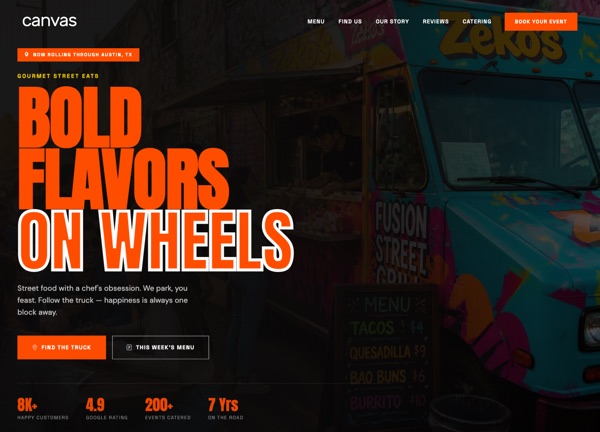
CanvasRoam is a Canvas demo built for food truck owners, street food vendors, and pop-up chefs who want a mobile-friendly web presence that travels as well as their service window. It pairs a punchy orange identity (#FF4D00) with Anton, DM Sans, and Space Grotesk, giving the layout the confidence of a hand-painted menu board without sacrificing modern readability. The demo ships with a single home page that pulls together everything a street food operator needs online, including the hero pitch, the daily menu, locations, story, and contact details.
Stretched layouts and a light, sun-on-concrete color story keep the design energetic and easy to scan on a phone screen between orders. Sections are arranged to move a hungry visitor from "what are you serving today" to "where will the truck be parked" to "how do I book you for an event" in a few quick scrolls. The personality is friendly, a little gritty, and unmistakably tuned to life on the road rather than a dine-in restaurant table.
What's included
| Page | Description |
|---|---|
demo-food-truck.html |
A one-page showcase that introduces the truck, presents the current menu, shares the rotating schedule of street locations, tells the operator's story, and provides event booking and contact information. |
The demo's own styles live in demos/food-truck/food-truck.css. Shared framework styles come from style.css and css/font-icons.css.
The full editing guide is in the dashboard
Step-by-step customization, the complete settings reference, and copy-paste code are available to registered Canvas users. Creating an account is free.
Required files
CSS: demos/food-truck/food-truck.css