
AI Payments Demo: Included Pages & How to Customize It
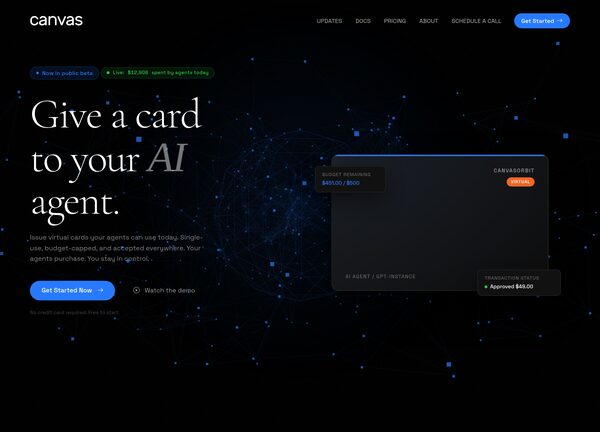
Canvas comes with a dedicated demo for AI payments called CanvasOrbit, built for teams building autonomous agent infrastructure, payment orchestration platforms, and next generation fintech products where software agents transact, settle, and reconcile without a human in the loop. The demo speaks directly to founders, product leads, and engineers shipping agentic commerce, machine to machine payments, AI wallets, and programmable money rails, so the copy focuses on infrastructure, trust, latency, and compliance rather than consumer friendly fluff.
It ships as a single multi section landing page that covers the agent stack, payment protocols, supported chains and rails, an integrations directory, pricing for usage tiers, a developer focused FAQ, and conversion blocks for contact and launch. The design leans into a stretched dark layout with a transparent header, the brand color #277aff used sparingly as a signal accent, and typography pairing Cormorant Garamond for editorial headlines with Space Grotesk for technical body copy. The personality is precise, infrastructural, and quietly futuristic, the kind of page you would expect from a Series A startup selling tooling to other builders.
What's included
| Page | Description |
|---|---|
demo-ai-payments.html |
CanvasOrbit single page demo positioning the product as AI agent infrastructure for autonomous payments, covering the agent stack, supported payment rails, integrations, pricing, FAQ, and contact blocks for AI and fintech operators. |
The demo's own styles live in demos/ai-payments/ai-payments.css. Shared framework styles come from style.css and css/font-icons.css.
The full editing guide is in the dashboard
Step-by-step customization, the complete settings reference, and copy-paste code are available to registered Canvas users. Creating an account is free.
Required files
CSS: demos/ai-payments/ai-payments.css