
Landing Demo: Included Pages & How to Customize It
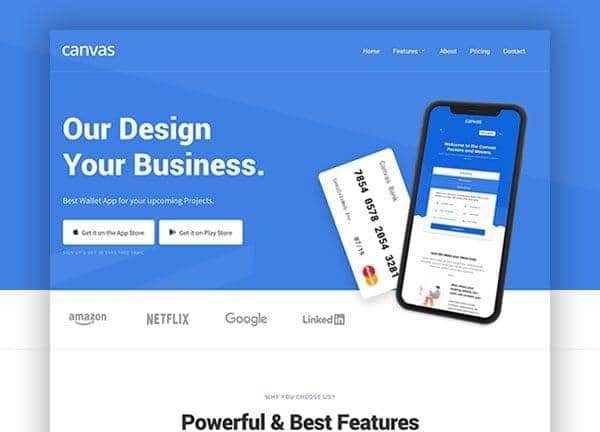
Canvas ships a focused set of landing page demos built around a fictional Wallet App and SaaS product, giving founders, indie developers, and small marketing teams a ready-made starting point for a product launch or pre-launch campaign. Every page in this niche pulls from the same design system, with stretched layouts, the Source Sans Pro and Roboto font pairing, and the signature Canvas blue accent (#3D80E4) tying the experience together. Light backgrounds and clean typography keep the focus on the product story rather than the chrome.
The package includes seven connected pages covering everything a software landing site needs: a hero-driven main landing, an alternate light SaaS layout with a darker counterpart, an about page for company context, a features showcase for product capabilities, a pricing table for plans, and a contact page for inquiries and support. Together they form a coherent site rather than a collection of loose templates.
What's included
| Page | Description |
|---|---|
demo-landing.html |
The main Wallet App landing page presents the product hero, value props, and download call-to-action blocks designed for a single-screen product pitch. |
demo-landing-2-dark.html |
The dark variant of the SaaS landing swaps the bright palette for a high-contrast dark mode while keeping the same page anatomy. |
demo-landing-2.html |
A lighter SaaS-focused landing layout introduces an alternative homepage structure with its own section flow and visual rhythm. |
demo-landing-about.html |
An about page dedicated to the Canvas Wallet App brand, covering company story, mission, team, and credibility signals. |
demo-landing-contact.html |
A contact page with form fields, location details, and support channels for visitors ready to reach out. |
demo-landing-features.html |
A features and tools showcase that breaks down app capabilities into scannable blocks with icons and short descriptions. |
demo-landing-pricing.html |
A pricing plans page presenting subscription tiers in comparison tables with feature lists and sign-up calls to action. |
The demo's own styles live in demos/landing/landing.css. Shared framework styles come from style.css and css/font-icons.css.
The full editing guide is in the dashboard
Step-by-step customization, the complete settings reference, and copy-paste code are available to registered Canvas users. Creating an account is free.
Required files
CSS: demos/landing/landing.css