
Articles Demo: Included Pages & How to Customize It
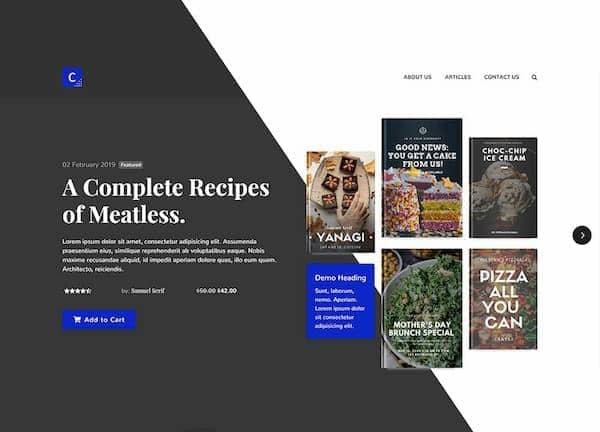
Canvas ships with a complete Articles niche demo designed for independent writers, magazine publishers, book reviewers, and editorial teams who want a polished reading experience out of the box. The kit covers everything from a homepage and about page to a bookstore landing and a long-form single article, so launching a publication, a literary blog, or an eBook storefront feels like a matter of swapping content rather than building from scratch.
Layouts are stretched edge to edge to give featured stories room to breathe, paired with Nunito for clean body copy and Playfair Display for editorial headings. A deep brand blue (#0C1CCC) ties the typography, buttons, and accents together, giving the demo a confident, modern literary feel that suits journalism, fiction showcases, and curated book recommendations alike.
What's included
| Page | Description |
|---|---|
demo-articles.html |
Homepage that introduces the publication with featured stories, latest articles, and editorial highlights laid out in a stretched grid. |
demo-articles-about.html |
About page covering the editorial team, mission statement, and contributor profiles for the Articles niche. |
demo-articles-books.html |
Popular Books & eBooks Store page showcasing curated titles, author spotlights, and purchase or download calls to action. |
demo-articles-single.html |
Single eBook page titled "My Loving Dad" that presents a long-form read with chapter content, metadata, and reader engagement elements. |
The demo's own styles live in demos/articles/articles.css. Shared framework styles come from style.css and css/font-icons.css.
The full editing guide is in the dashboard
Step-by-step customization, the complete settings reference, and copy-paste code are available to registered Canvas users. Creating an account is free.
Required files
CSS: demos/articles/articles.css