
Personal Demo: Included Pages & How to Customize It
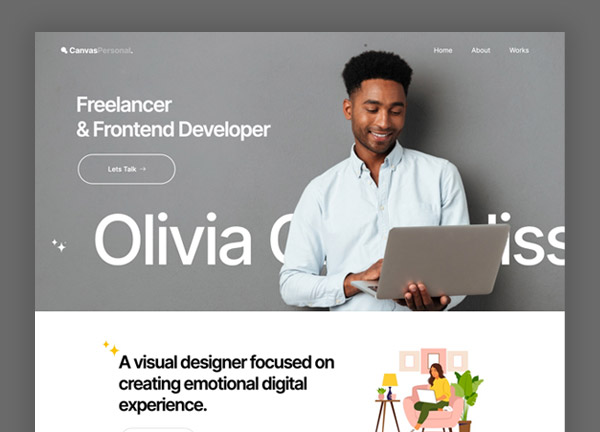
Canvas includes a Personal demo built for freelancers, consultants, and creators who want a portfolio site that reads like a personal brand. It ships with a single homepage that combines a bold hero, an about section, a services or skills area, a project showcase, testimonials, and a contact block so visitors can move from introduction to enquiry without leaving the page.
The design uses a dark, stretched layout with a transparent header that lets the hero image and typography carry the visual weight. The Inter typeface keeps body copy legible and gives headings a clean, modern feel, while the default theme color keeps the focus on your photography, work samples, and writing.
What's included
| Page | Description |
|---|---|
demo-personal.html |
Freelance Frontend Developer / Canvas is the Personal niche homepage, presenting a freelancer’s intro, services, selected work, client feedback, and contact details on one continuous scroll. |
The demo's own styles live in demos/personal/personal.css. Shared framework styles come from style.css and css/font-icons.css.
The full editing guide is in the dashboard
Step-by-step customization, the complete settings reference, and copy-paste code are available to registered Canvas users. Creating an account is free.
Required files
CSS: demos/personal/personal.css