
Music Demo: Included Pages & How to Customize It
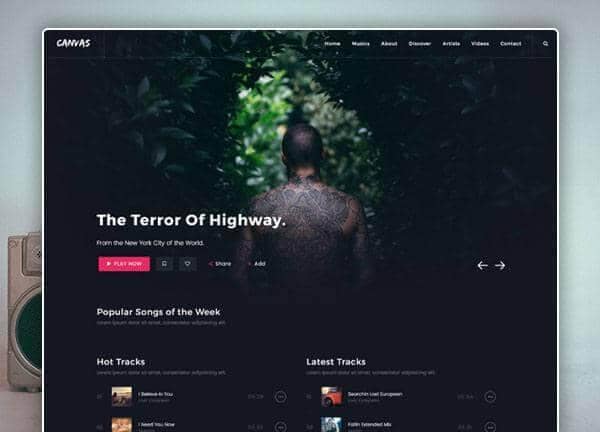
Canvas ships a purpose-built Music Streaming & Radio demo for artists, bands, independent labels, radio stations, and anyone running a podcast or audio-focused brand online. Out of the box you get a homepage with featured artists, trending tracks, and live radio, plus inner pages for the full album grid, individual release details, artist profiles, a streaming player experience, an event tour schedule, a blog for news and interviews, and standard contact information. The look pairs a deep dark background with a vivid #ed215e accent, warm handwritten script accents via Caveat Brush, and clean geometric type from Poppins and Montserrat, giving the whole experience a modern, late-night-radio-meets-streaming-app feel.
The demo is tuned for audio-first storytelling: large hero artwork, persistent player-style blocks, and layouts that keep listening entry points above the fold. Designers can restyle color, typography, and section order with Canvas's layout and style switcher, while developers get clean, well-commented HTML to extend with their own CMS, audio API, or streaming backend. It works equally well as a landing page for a new single launch, a hub for a full discography, or a station front door for an online radio brand.
What's included
| Page | Description |
|---|---|
demo-music.html |
Music Streaming & Radio homepage featuring a bold hero with featured releases, artist spotlights, trending tracks, embedded player blocks, upcoming event dates, and a footer with newsletter signup and station info. |
The demo's own styles live in demos/music/music.css. Shared framework styles come from style.css and css/font-icons.css.
The full editing guide is in the dashboard
Step-by-step customization, the complete settings reference, and copy-paste code are available to registered Canvas users. Creating an account is free.
Required files
CSS: demos/music/music.css