
Speaker Demo: Included Pages & How to Customize It
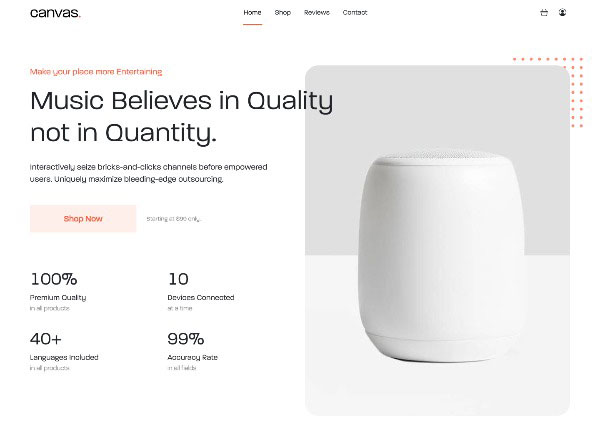
The Speaker demo inside Canvas is built for retailers and brands selling speakers, headphones, and other audio gear, especially when the product itself is the hero of the story. It works just as well for a single brand storefront as it does for a multi-vendor shop, since the layout is designed around showcasing listening experiences rather than generic product grids.
The demo ships with stretched sections, scroll-detect animations, and a compact header (header-size-sm) that keeps navigation close at hand without competing with the imagery, all tied together with a bold orange accent color (#FD5D3D). It is meant to feel like a modern audio lifestyle site rather than a cluttered electronics catalog, with room for story-led home content, product showcases, and a clean checkout flow.
What's included
| Page | Description |
|---|---|
demo-speaker.html |
A landing page for a speaker and Bluetooth devices store, featuring prominent hero imagery, featured product highlights, listening scenario sections, and calls to action that drive shoppers into browsing and buying. |
The demo's own styles live in demos/speaker/speaker.css. Shared framework styles come from style.css and css/font-icons.css.
The full editing guide is in the dashboard
Step-by-step customization, the complete settings reference, and copy-paste code are available to registered Canvas users. Creating an account is free.
Required files
CSS: demos/speaker/speaker.css