
NFT Marketplace Demo: Included Pages & How to Customize It
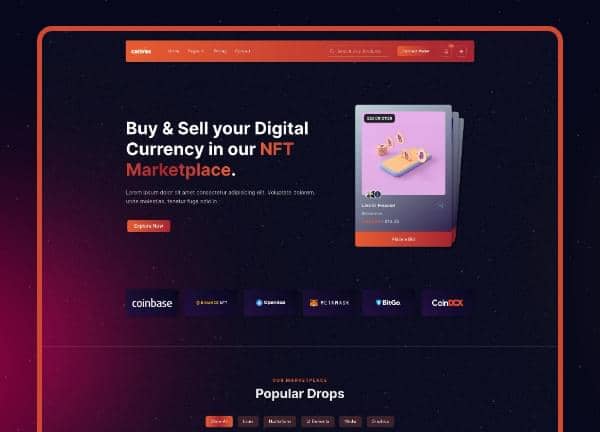
Canvas ships a trio of NFT Marketplace demos built for creators, collectors, and crypto startups who want a credible storefront without writing a line of code. Each layout combines a stretched, dark presentation with a floating NFT header strip, giving collectibles, token stats, and wallet actions a dedicated stage above the fold while the rest of the page stays editorial and product-led.
The three variants share the same theme color (cnvs-color-4) and Canvas's default typography stack, so they feel like one product family even though each one tells a slightly different story. One leans into the marketplace framing with curated drops and artist profiles, another pairs listings with an integrated crypto wallet experience, and the third is a fully branded "NiftVault" concept you can hand to a client as a starting point.
What's included
| Page | Description |
|---|---|
demo-nft-marketplace.html |
Sells Canvas as a digital art marketplace with featured collections, artist spotlights, trending auctions, and category browsing for a general audience of buyers and sellers. |
demo-nft-marketplace-2.html |
Combines NFT listings with a built-in crypto wallet module, focusing on portfolio tracking, transaction history, and seamless connect-to-buy flows for active traders. |
demo-nft-marketplace-3.html |
Presents the complete NiftVault brand experience, tying together hero stats, creator collections, an auction calendar, and a roadmap section in one cohesive landing page. |
The demo's own styles live in demos/nft-marketplace/nft-marketplace.css. Shared framework styles come from style.css and css/font-icons.css.
The full editing guide is in the dashboard
Step-by-step customization, the complete settings reference, and copy-paste code are available to registered Canvas users. Creating an account is free.
Required files
CSS: demos/nft-marketplace/nft-marketplace.css