
eCommerce Demo: Included Pages & How to Customize It
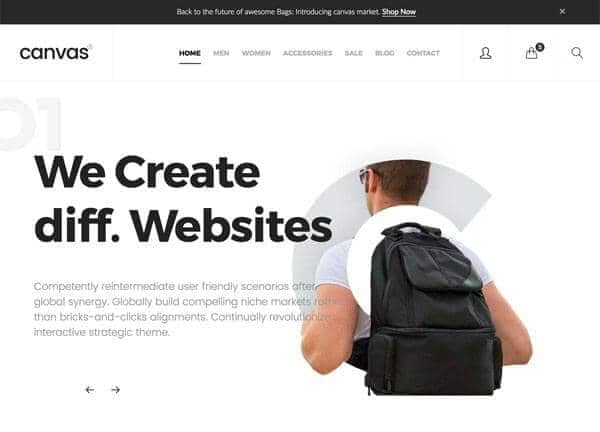
Canvas Shop is the eCommerce demo inside the Canvas multipurpose HTML5 template, built for independent brands, boutique retailers, and creators who want a clean storefront without touching a line of code. It ships with a complete set of shop, product, and checkout-ready pages, all wired together so you can launch a working online store out of the box.
The design pairs a stretched, full-width header with a non-sticky navigation, giving product photography and editorial banners the space they need to breathe. A monochrome theme color of #000 keeps the visual focus on imagery and merchandising, while the type system uses Lato for body text, Montserrat for headings and UI labels, and Merriweather for accent details that call for a serif voice.
What's included
| Page | Description |
|---|---|
demo-ecommerce.html |
Canvas Shop homepage featuring a full-header hero, featured collections, product grids, brand storytelling blocks, and footer with shop categories and newsletter signup. |
The demo's own styles live in demos/ecommerce/ecommerce.css. Shared framework styles come from style.css and css/font-icons.css.
The full editing guide is in the dashboard
Step-by-step customization, the complete settings reference, and copy-paste code are available to registered Canvas users. Creating an account is free.
Required files
CSS: demos/ecommerce/ecommerce.css