
Photography Portfolio Demo: Included Pages & How to Customize It
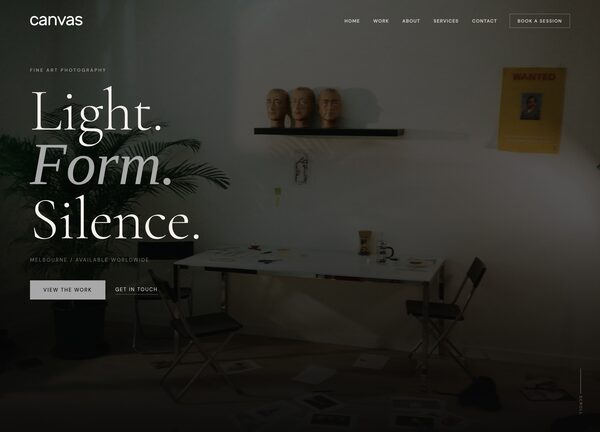
CanvasLens is a fine art photography portfolio demo built for working photographers, visual artists, and studios who want their images to carry the room. It pairs a quiet, gallery-like atmosphere with the practical structure of a professional website, so your work reads first and the chrome disappears behind it. The result feels less like a template and more like a curated exhibition you can update on your own.
The demo ships with a single home page that sets the tone for the entire experience: a transparent header, a dark and stretched layout, and a neutral grey palette that keeps colour faithful across every photograph. Typography leans on Cormorant Garamond for editorial headings and DM Sans for clean supporting copy, giving you the contrast of a magazine spread without sacrificing legibility. The header is not sticky, so each frame gets your visitor's full attention as they scroll.
What's included
| Page | Description |
|---|---|
demo-photography-portfolio.html |
CanvasLens - Fine Art Photography Portfolio / Canvas is the single home page demo, presenting a photographer's body of work in a dark, gallery-style layout with a transparent header, no sticky navigation, and a stretched edge-to-edge feel designed to let photography lead the page. |
The demo's own styles live in demos/photography-portfolio/photography-portfolio.css. Shared framework styles come from style.css and css/font-icons.css.
The full editing guide is in the dashboard
Step-by-step customization, the complete settings reference, and copy-paste code are available to registered Canvas users. Creating an account is free.
Required files
CSS: demos/photography-portfolio/photography-portfolio.css