
Real Estate 3 Demo: Included Pages & How to Customize It
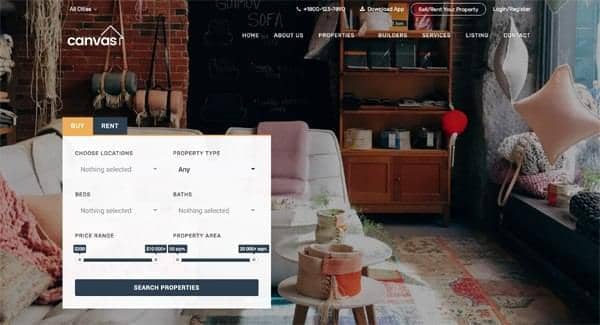
Canvas offers a focused starting point for property professionals who need a credible online presence without rebuilding from scratch. The Real Estate 3 demo brings together listing browsing, agent presentation, and inquiry capture in a single cohesive layout, so brokerages, independent agents, and rental managers can publish a working site quickly and refine it over time.
Visually, the demo leans into a modern, residential aesthetic with a stretched layout, a transparent header that reveals the page beneath, and a dark color treatment that gives photography room to breathe. Roboto handles UI text, Rubik is reserved for headlines, and Lora adds a serif accent for editorial-style descriptions, creating a balanced typographic rhythm suited to property storytelling.
What's included
| Page | Description |
|---|---|
demo-real-estate-3.html |
Real Estate Listings – Buy, Rent & Sell showcases a homepage centered on property search with sections for featured listings, agent profiles, neighborhood highlights, testimonials, and a contact form for buyer, renter, and seller inquiries. |
The full editing guide is in the dashboard
Step-by-step customization, the complete settings reference, and copy-paste code are available to registered Canvas users. Creating an account is free.