
Modern Blog Demo: Included Pages & How to Customize It
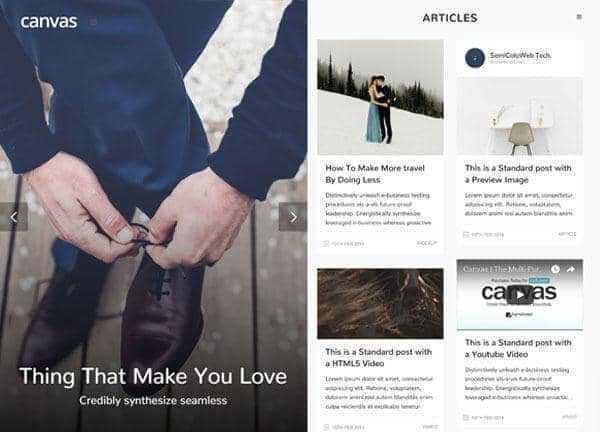
The Modern Blog demo in Canvas is built for writers, editors, and content teams who want a clean reading experience without sacrificing personality. It ships with three demo pages, a stretched layout for wider article views, an overlay navigation menu that keeps the header out of the way, and a confident red accent color (#dc3545) that anchors typography and calls to action. The Nunito typeface keeps long-form posts comfortable to read on any device.
Design personality is editorial and contemporary: generous whitespace, strong type hierarchy, and a light, not-dark color scheme that lets photography and prose do the work. Whether you are running a personal journal, a multi-author publication, or a niche content hub, this demo gives you a flexible starting point that feels modern from the first scroll.
What's included
| Page | Description |
|---|---|
demo-modern-blog.html |
Modern Blog Demo landing page that introduces the publication, highlights featured stories, and showcases the overlay menu and stretched layout in action. |
demo-modern-blog-2.html |
Second demo page focused on an article or category view, demonstrating how long-form posts and supporting content are arranged within the Modern Blog design. |
demo-modern-blog-3.html |
Third demo page providing an alternate layout pattern, useful for author profiles, archives, or supplementary editorial sections within the Modern Blog experience. |
The demo's own styles live in demos/modern-blog/modern-blog.css. Shared framework styles come from style.css and css/font-icons.css.
The full editing guide is in the dashboard
Step-by-step customization, the complete settings reference, and copy-paste code are available to registered Canvas users. Creating an account is free.
Required files
CSS: demos/modern-blog/modern-blog.css