
Link In Bio Demo: Included Pages & How to Customize It
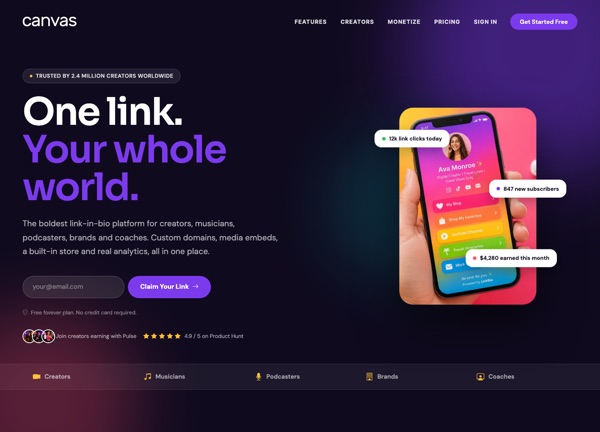
CanvasPulse is a link-in-bio template built for creators, musicians, streamers, and personal brands who want a single hub for every profile, playlist, and product. It ships with one carefully crafted demo page that funnels visitors toward the platforms and content that matter most, with quick access to social channels, featured drops, and a built-in contact path. The design leans bold and energetic, pairing the Anton display face with clean DM Sans copy and the Sora accent for a confident, modern personality that fits personal brands and creative hustles.
The demo uses a stretched, light layout with a vibrant purple theme color (#7C3AED) that calls attention to buttons, highlights, and featured links without overwhelming the content. It is purpose-built for the link-in-bio niche, so every section, from the hero identity card to the link grid and footer, is shaped around conversion and fast scanning on mobile.
What's included
| Page | Description |
|---|---|
demo-link-in-bio.html |
CanvasPulse: One Link. Your Whole World. serves as the single landing page that aggregates a creator's entire online presence, including identity, social links, featured content, and contact, all optimized for mobile visitors. |
The demo's own styles live in demos/link-in-bio/link-in-bio.css. Shared framework styles come from style.css and css/font-icons.css.
The full editing guide is in the dashboard
Step-by-step customization, the complete settings reference, and copy-paste code are available to registered Canvas users. Creating an account is free.
Required files
CSS: demos/link-in-bio/link-in-bio.css