
Event Demo: Included Pages & How to Customize It
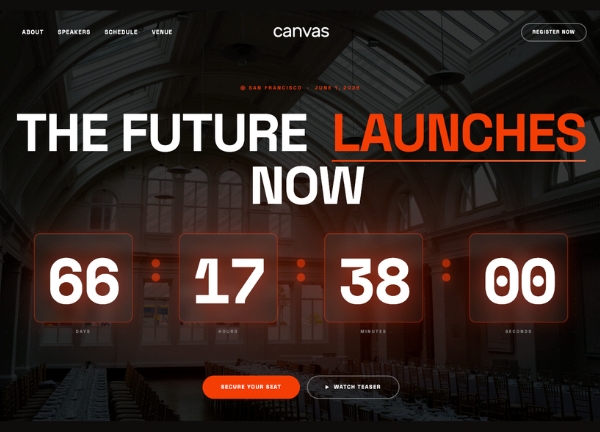
Canvas ships with an Event niche demo for promoters, conference organisers, festival crews, and community builders who need a site that sells the experience before the date arrives. Two complete pages are included, each tailored to a different kind of gathering, from a large flagship launch to a focused annual design conference.
The visual direction is confident and modern, built on a stretched layout with dark surfaces and semi-transparent overlays that let photography and typography carry the mood. The accent theme color, a vivid #FF3D00, is reserved for action points, countdowns, ticket CTAs, and key highlights, while the default Canvas type stack keeps headlines sharp and body copy comfortable to read on long schedules and speaker bios.
What's included
| Page | Description |
|---|---|
demo-event.html |
A flagship single-event landing page for LaunchX 2026, combining hero countdown, speaker showcase, schedule timeline, sponsor wall, and ticket purchase call to action. |
demo-event-conference.html |
A multi-day conference site for FORM // 2026, presenting the programme, venue details, ticket tiers, and past editions in a clean editorial layout. |
The demo's own styles live in demos/event/event.css. Shared framework styles come from style.css and css/font-icons.css.
The full editing guide is in the dashboard
Step-by-step customization, the complete settings reference, and copy-paste code are available to registered Canvas users. Creating an account is free.
Required files
CSS: demos/event/event.css