
Beauty Kit Demo: Included Pages & How to Customize It
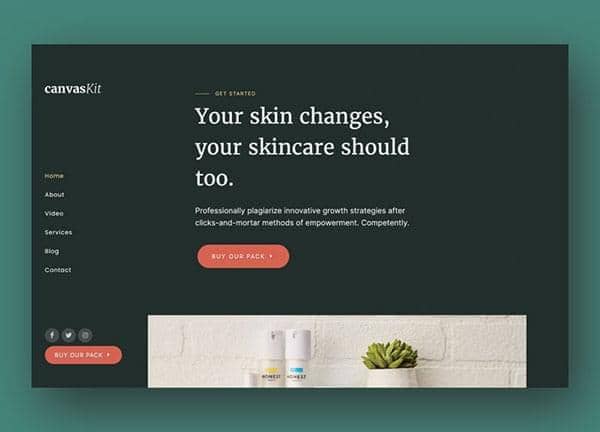
The Beauty Kit demo inside Canvas is built for indie skincare brands, apothecary studios, and cosmetics retailers who want a storefront that feels as considered as the products themselves. It pairs a deep forest color story with editorial typography, giving every serum, balm, and gift set room to breathe while keeping the path to checkout short.
Canvas ships this demo as a single, ready-to-customize page that includes a full hero, ingredient storytelling, product grids, ritual guides, testimonials, and a footer with newsletter sign-up. The side-header layout, dark palette, and stretched sections are wired in from the first render, so you can focus on swapping in your own photography and brand voice.
What's included
| Page | Description |
|---|---|
demo-beauty-kit.html |
The complete Natural Beauty Kit and Skincare Sets landing page, combining hero, product collections, ingredient story, ritual guides, reviews, and newsletter sign-up in one continuous scroll. |
The demo's own styles live in demos/beauty-kit/beauty-kit.css. Shared framework styles come from style.css and css/font-icons.css.
The full editing guide is in the dashboard
Step-by-step customization, the complete settings reference, and copy-paste code are available to registered Canvas users. Creating an account is free.
Required files
CSS: demos/beauty-kit/beauty-kit.css