
Drone Demo: Included Pages & How to Customize It
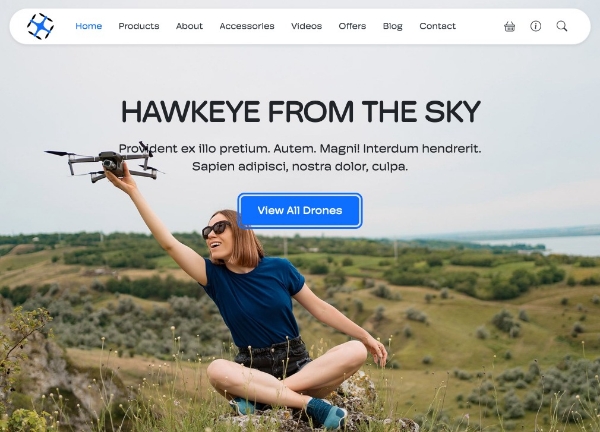
Canvas ships with a dedicated demo built for businesses that rent, sell, or operate commercial and consumer drones. The layout pairs a transparent header over a full-bleed hero with a floating navigation bar, so visitors immediately see aerial footage and booking options without scrolling. From the equipment catalog to pilot bios and service pricing, every section is wired around the drone industry rather than adapted from a generic agency template.
The design uses the theme's default fonts paired with a single primary accent color applied through CSS variables, keeping the visual language clean, technical, and easy to recolor to match your own brand. Stretched layout behavior lets background imagery and full-width sections run edge to edge, while a small header size preserves maximum viewport space for hero videos and drone photography. It is a practical starting point for aerial photography studios, drone tour operators, training academies, and retailers of UAV hardware.
What's included
| Page | Description |
|---|---|
demo-drone.html |
A drone rental and sales landing page featuring a transparent header, floating navigation, stretched hero, equipment catalog, pricing tiers, pilot profiles, and service inquiry forms. |
The demo's own styles live in demos/drone/drone.css. Shared framework styles come from style.css and css/font-icons.css.
The full editing guide is in the dashboard
Step-by-step customization, the complete settings reference, and copy-paste code are available to registered Canvas users. Creating an account is free.
Required files
CSS: demos/drone/drone.css