
Landing 2 Demo: Included Pages & How to Customize It
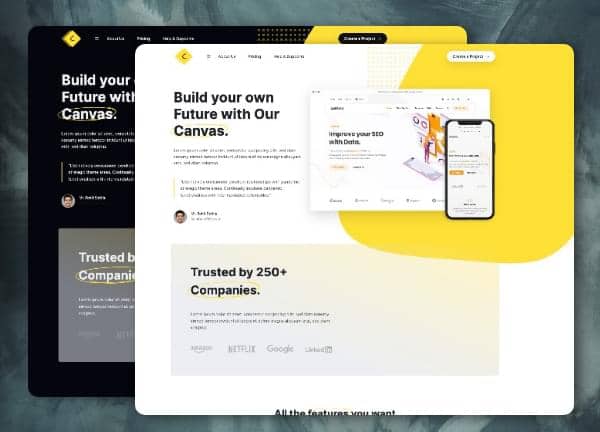
Canvas includes two ready-to-launch Landing and SaaS demos built for product teams, startups, and indie makers who need a polished site without rebuilding from scratch. The Landing 2 set focuses on conversion-ready marketing pages with clear feature breakdowns, pricing tables, testimonials, and call-to-action blocks, giving you a structured framework to present a software product, service, or app launch. Styled with the warm #FFE036 theme color and the clean pairing of Inter and DM Serif Display, the layout uses a stretched width, transparent header, and no sticky behavior to keep the reading flow focused and uninterrupted.
The demo ships with two page variations, including a light version and a dark counterpart, so you can match the visual mood to your brand. Header sizing is kept custom to balance the bold hero area with dense content sections below, while border-bottom-0 styling on key containers creates a flat, modern look that suits contemporary SaaS positioning.
What's included
| Page | Description |
|---|---|
demo-landing-2.html |
A light-themed landing page with a bright hero, feature highlights, pricing tiers, and footer CTAs designed to convert visitors into signups for a SaaS product. |
demo-landing-2-dark.html |
A dark-mode variant of the Landing 2 demo with the same marketing structure, ideal for tech products, developer tools, and brands preferring a deeper visual tone. |
The demo's own styles live in demos/landing-2/landing-2.css. Shared framework styles come from style.css and css/font-icons.css.
The full editing guide is in the dashboard
Step-by-step customization, the complete settings reference, and copy-paste code are available to registered Canvas users. Creating an account is free.
Required files
CSS: demos/landing-2/landing-2.css