
Store Demo: Included Pages & How to Customize It
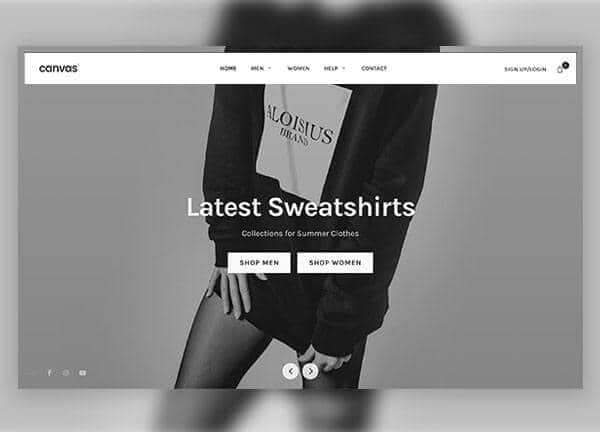
Canvas includes a ready made demo for clothing stores and fashion ecommerce brands that want a clean, modern online shop without building from scratch. The Store demo ships with a storefront homepage, a menswear collection listing, a single product page for items like a rounded analogue watch, and a stores contact page, giving you everything needed to launch a small to mid sized apparel business.
The layout is intentionally minimal and product focused, using a stretched width that lets imagery and product grids breathe while a bottom subscribe modal captures email sign ups. Set against a neutral palette anchored by the theme color #222, the typography relies on the friendly Karla font to keep the tone approachable, which suits brands selling everyday clothing, accessories, and lifestyle goods.
The provided pages reference the demo storefront and its supporting views: storefront homepage, menswear product listing, single product detail for the rounded quartz analogue watch, and a store locator contact page. Each is built with the same stretched, light mode layout, the Karla typeface, and the brand neutral of #222 for a consistent shopping experience.
What's included
| Page | Description |
|---|---|
demo-store.html |
Clothing Store & Fashion eCommerce homepage that introduces the brand, highlights featured collections, and guides visitors into shopping. |
demo-store-contact.html |
Store locator and contact page that helps customers find physical locations, get in touch with support, or ask questions before buying. |
demo-store-product-single.html |
Single product page dedicated to the Rounded Watch Quartz Analogue, showcasing imagery, specifications, and an add to cart flow. |
demo-store-products.html |
Menswear collection page that lists shoppable items in a grid so customers can browse and filter the men's catalog. |
The demo's own styles live in demos/store/store.css. Shared framework styles come from style.css and css/font-icons.css.
The full editing guide is in the dashboard
Step-by-step customization, the complete settings reference, and copy-paste code are available to registered Canvas users. Creating an account is free.
Required files
CSS: demos/store/store.css