
Illustrator Demo: Included Pages & How to Customize It
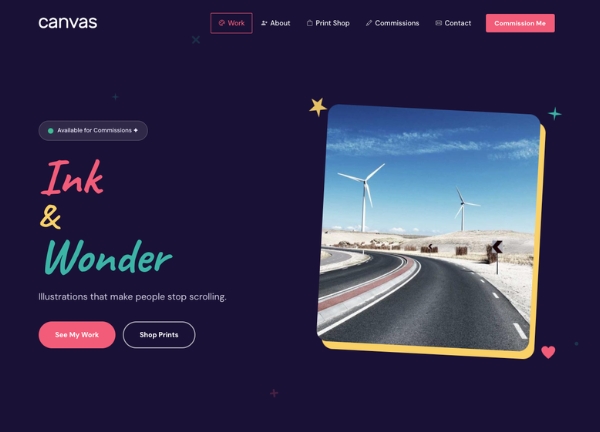
Ink & Wonder is a Canvas demo built for illustrators, character designers, and visual artists who want a portfolio site that lets the artwork do the talking. It ships with a single, focused homepage that covers everything a working illustrator needs online: a hero introduction, an about section, a services and pricing area, a portfolio gallery, a blog, and a contact section. The design personality is playful yet refined, leaning on a warm coral accent (#f25c78), generous whitespace, and a stretched, light layout that frames illustrations with clarity. It feels like a personal sketchbook opened up for clients, friendly enough to invite browsing but polished enough to win commissions.
Canvas powers every page with its flexible HTML5 foundation, so customizing sections, swapping art samples, or expanding the template is straightforward even without touching code. The demo uses Canvas's default font stack to keep typography clean and readable, and the overall mood is confident, creative, and approachable.
What's included
| Page | Description |
|---|---|
demo-illustrator.html |
The Ink & Wonder homepage combines a hero welcome, an about-the-artist introduction, a services and pricing block, a portfolio gallery of illustrations, a personal blog feed, and a contact section for inquiries and commissions. |
The demo's own styles live in demos/illustrator/illustrator.css. Shared framework styles come from style.css and css/font-icons.css.
The full editing guide is in the dashboard
Step-by-step customization, the complete settings reference, and copy-paste code are available to registered Canvas users. Creating an account is free.
Required files
CSS: demos/illustrator/illustrator.css