
Martial Arts Demo: Included Pages & How to Customize It
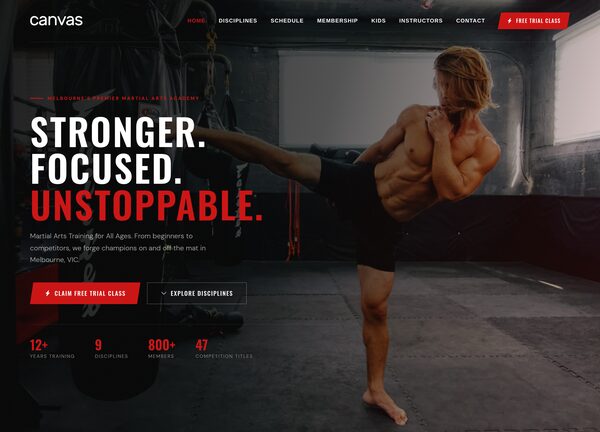
The Martial Arts demo of Canvas is built for dojos, gyms, and combat sports academies that want a strong online presence to match the discipline they teach on the mat. It ships with a single, fully styled page that brings together class schedules, instructor profiles, program overviews, testimonials, and a contact section so visitors can find a class, learn about the coaches, and book a trial without leaving the site.
Design-wise, the demo uses a stretched layout with a transparent header and a dark base, paired with a bold red accent that gives the page an intense, training-floor feel. Oswald is used for the punchy display headlines while DM Sans keeps body copy clean and readable, resulting in a modern, athletic look that feels right at home for BJJ, Muay Thai, MMA, kickboxing, and self-defence programs.
What's included
| Page | Description |
|---|---|
demo-martial-arts.html |
A single landing page for CanvasForge Martial Arts Melbourne, showcasing BJJ, Muay Thai, and MMA programs with class schedules, instructor bios, testimonials, and a call to action for a free trial class. |
The demo's own styles live in demos/martial-arts/martial-arts.css. Shared framework styles come from style.css and css/font-icons.css.
The full editing guide is in the dashboard
Step-by-step customization, the complete settings reference, and copy-paste code are available to registered Canvas users. Creating an account is free.
Required files
CSS: demos/martial-arts/martial-arts.css