
Barber Demo: Included Pages & How to Customize It
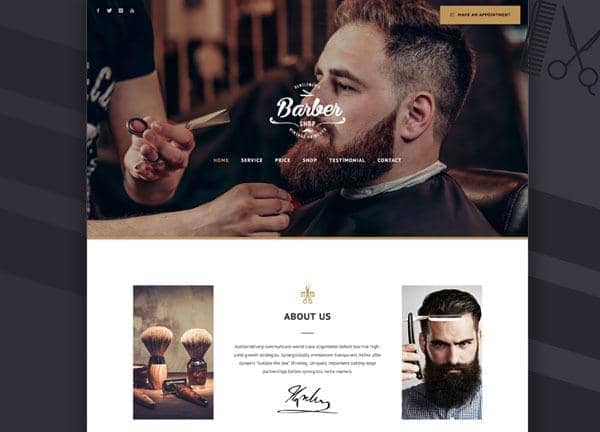
The Barber demo for Canvas is built for barbershops, men's grooming salons, and traditional barbers who want a confident online presence that matches the craft of their trade. It combines warm, classic typography with a rich caramel color palette, giving shops a look that feels established, masculine, and inviting to walk-in clients.
The demo ships with a single, polished homepage that covers everything a barbershop needs: a bold hero with shop hours, service and price lists, barber team profiles, customer reviews, an about and history section, gallery of cuts, and a contact page with location map and booking call to action. Layout traits include a stretched container, smooth page transitions, and a light, non-dark aesthetic that keeps the focus on your brand and your barbers.
What's included
| Page | Description |
|---|---|
demo-barber.html |
Barber Shop & Grooming Salon homepage featuring hero with hours, services and pricing, team profiles, testimonials, about and history, gallery, and contact details with map. |
The demo's own styles live in demos/barber/barber.css. Shared framework styles come from style.css and css/font-icons.css.
The full editing guide is in the dashboard
Step-by-step customization, the complete settings reference, and copy-paste code are available to registered Canvas users. Creating an account is free.
Required files
CSS: demos/barber/barber.css