
Freelancer Demo: Included Pages & How to Customize It
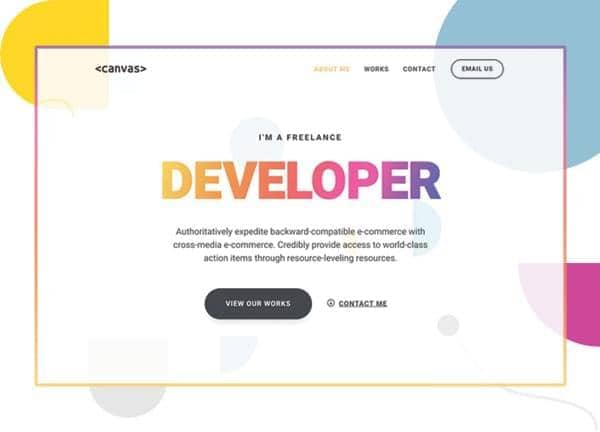
The Freelancer demo is built for independent designers, developers, and creative professionals who want a portfolio site that feels personal without sacrificing polish. It ships with three focused pages: a confident homepage, an about page for the human behind the work, and a works page for showcasing projects. Inside Canvas, the demo uses the warm theme color #f7c25e paired with the clean Heebo typeface to give your brand a friendly, approachable character.
The layout is stretched edge to edge, drops the default header border, keeps navigation non sticky for a quieter scroll, and uses a transparent header so your hero imagery carries the top of the page. It is a straightforward setup that lets your projects and personality do the talking.
What's included
| Page | Description |
|---|---|
demo-freelancer.html |
The homepage introduces you as a freelance designer and developer, anchoring the site with a strong hero, a short pitch, and quick access to your about and works pages. |
demo-freelancer-about.html |
An About Me page that tells your story, highlights your skills and services, and gives potential clients a clear reason to get in touch. |
demo-freelancer-works.html |
A Works and Portfolio page that lays out your projects in a browsable grid so visitors can quickly scan your range and click into individual case studies. |
The demo's own styles live in demos/freelancer/freelancer.css. Shared framework styles come from style.css and css/font-icons.css.
The full editing guide is in the dashboard
Step-by-step customization, the complete settings reference, and copy-paste code are available to registered Canvas users. Creating an account is free.
Required files
CSS: demos/freelancer/freelancer.css