
Beauty Demo: Included Pages & How to Customize It
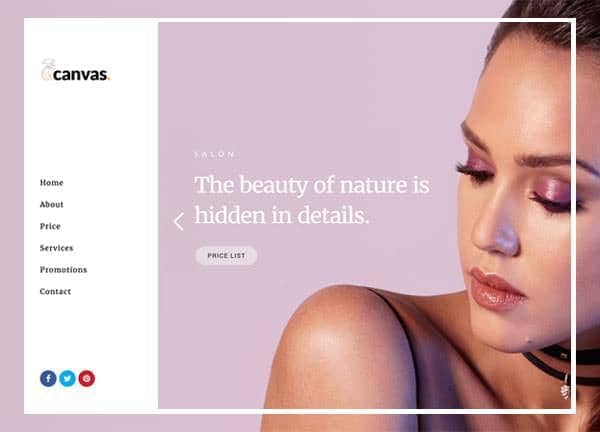
The Beauty demo of Canvas is a ready made starting point for salons, makeup artists, skincare brands, cosmetics shops, and independent beauty professionals who want a clean storefront without building from scratch. It pairs an elegant deep purple accent (#6A1B9A) with the readable Lato and Merriweather font pairing, giving product photography and brand storytelling room to breathe. The stretched, side header layout creates a distinctive editorial feel while keeping navigation always visible, which works especially well for image driven beauty catalogs.
Two pages are included to cover the core journeys shoppers and brand explorers typically follow: an overview homepage that introduces the brand and its offerings, and a dedicated page for natural beauty kits and skincare sets where curated bundles can be presented in depth. Together they give you a complete framework to showcase products, share routines, and convert visitors into customers.
What's included
| Page | Description |
|---|---|
demo-beauty.html |
The main Beauty homepage establishes brand identity, highlights featured products and treatments, and guides visitors toward key collections and services. |
demo-beauty-kit.html |
A focused landing page for natural beauty kits and skincare sets, ideal for presenting curated bundles, ingredient details, and bundle pricing. |
The demo's own styles live in demos/beauty/beauty.css. Shared framework styles come from style.css and css/font-icons.css.
The full editing guide is in the dashboard
Step-by-step customization, the complete settings reference, and copy-paste code are available to registered Canvas users. Creating an account is free.
Required files
CSS: demos/beauty/beauty.css