
Fitness Challenge Demo: Included Pages & How to Customize It
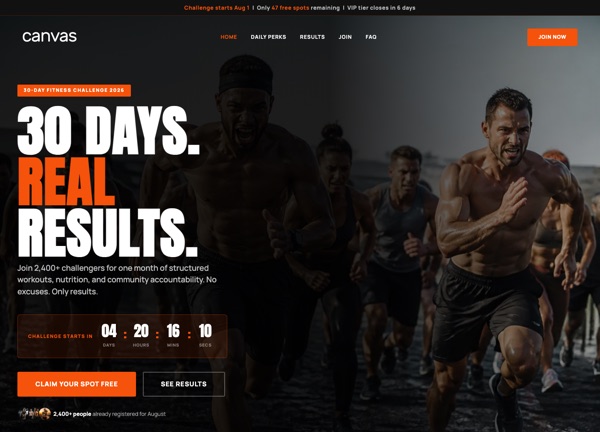
CanvasForge 30-Day Challenge is a focused demo built for gyms, personal trainers, and online coaches who run time-bound transformation programs. It ships as a single landing page that walks visitors from the challenge pitch through daily workouts, nutrition guidance, and a sign-up form, giving you everything needed to promote a 30-day fitness campaign without extra setup.
The design feels bold and athletic, pairing the Anton display font for large, punchy headlines with the clean Manrope body face for readable coaching content. A stretched layout in a light treatment carries the energetic orange theme color, creating a high-contrast look that suits gym branding and action-driven fitness marketing.
What's included
| Page | Description |
|---|---|
demo-fitness-challenge.html |
The CanvasForge 30-Day Challenge landing page introduces the program with a hero call to join, outlines the 30-day workout and nutrition plan, highlights coach credentials, showcases participant transformations, and closes with a registration section for the next cohort. |
The demo's own styles live in demos/fitness-challenge/fitness-challenge.css. Shared framework styles come from style.css and css/font-icons.css.
The full editing guide is in the dashboard
Step-by-step customization, the complete settings reference, and copy-paste code are available to registered Canvas users. Creating an account is free.
Required files
CSS: demos/fitness-challenge/fitness-challenge.css