
Photographer Demo: Included Pages & How to Customize It
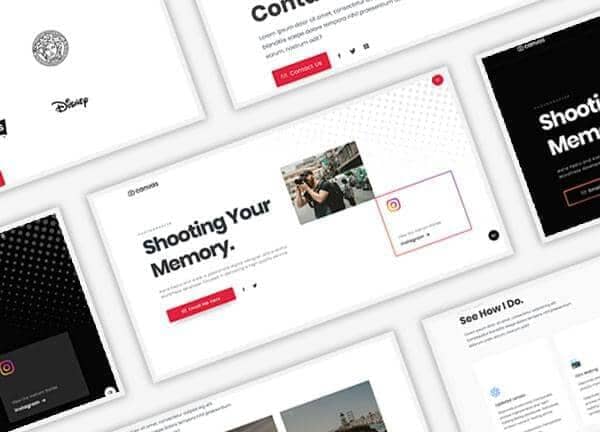
Built for working photographers, models, and visual artists who need to show their portfolio with confidence, the Photographer demo turns Canvas into a focused stage for imagery and short form storytelling. It ships with a bright default layout and a moody dark variant, both tuned to keep the work front and center with clean typography, generous whitespace, and a transparent header that lets each photograph breathe across every screen size.
The design personality is editorial and deliberate rather than decorative, pairing a confident red accent with the Poppins type family to feel modern without overwhelming the frames. Stretched sections, a non sticky header, and a refined color palette make this niche ideal for portrait studios, fashion portfolios, agency lookbooks, and personal sites for creators who want their images to do the talking.
What's included
| Page | Description |
|---|---|
demo-photographer.html |
The light version of the Photographer demo, designed as a portrait and fashion portfolio template that highlights image led pages, an about section, services, and contact details in a clean white layout. |
demo-photographer-dark.html |
A darker counterpart to the main Photographer demo, offering the same portfolio structure with a moody dark surface that suits dramatic portraits, editorial shoots, and night time or studio based work. |
The demo's own styles live in demos/photographer/photographer.css. Shared framework styles come from style.css and css/font-icons.css.
The full editing guide is in the dashboard
Step-by-step customization, the complete settings reference, and copy-paste code are available to registered Canvas users. Creating an account is free.
Required files
CSS: demos/photographer/photographer.css