
Resume Demo: Included Pages & How to Customize It
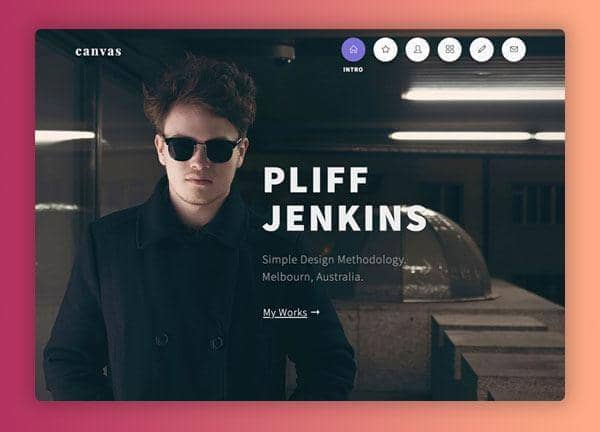
The Resume demo is built for professionals, freelancers, and creatives who need a polished online presence to complement a traditional CV. Whether you're applying for a new role, pitching services to clients, or simply want a sharper way to present your career story, this niche gives you a ready-made foundation with Canvas that you can tailor to your field and personality.
Three demo pages are included, each tuned to the same theme color and typography pairing while exploring different layout personalities. Source Sans Pro handles body copy and Playfair Display adds character to headings, creating a balance between readability and editorial flair. Stretched sections, transparent headers, and a sticky transparent navigation give every page a modern, confident feel that lets your work and experience take center stage.
Three demo pages are included, each tuned to the same theme color and typography pairing while exploring different layout personalities. Source Sans Pro handles body copy and Playfair Display adds character to headings, creating a balance between readability and editorial flair. Stretched sections, transparent headers, and a sticky transparent navigation give every page a modern, confident feel that lets your work and experience take center stage.
What's included
| Page | Description |
|---|---|
demo-resume.html |
A classic resume and CV portfolio layout that showcases experience, skills, and accomplishments in a clean, scannable structure ideal for job seekers. |
demo-resume-2.html |
A personal profile page for a product and engineering leader, presented as a narrative-driven single-page portfolio highlighting projects, leadership, and contact details. |
demo-resume-builder.html |
A landing page for an AI-powered resume builder, featuring benefit-led sections, product explanations, and calls to action aimed at converting visitors into users. |
The demo's own styles live in demos/resume/resume.css. Shared framework styles come from style.css and css/font-icons.css.
The full editing guide is in the dashboard
Step-by-step customization, the complete settings reference, and copy-paste code are available to registered Canvas users. Creating an account is free.
Required files
CSS: demos/resume/resume.css