
Recipes Demo: Included Pages & How to Customize It
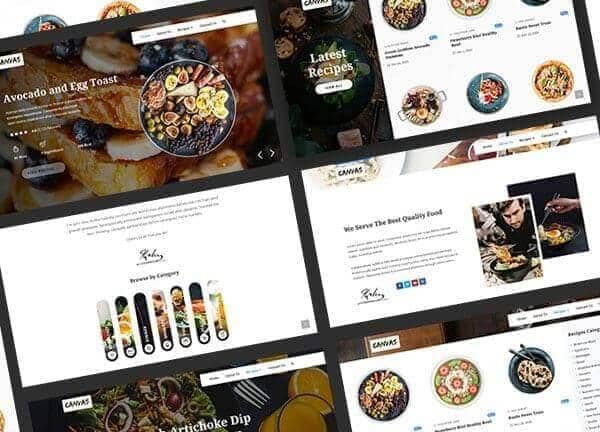
Canvas ships a Recipes demo designed for food bloggers, home cooks, and culinary content creators who want a polished site without building from scratch. It includes five ready-made pages covering the home layout, an About story, a contact form, an index of recipes, and a single recipe template, all styled in a clean editorial direction built on Noto Sans and Noto Serif. The default theme color is a fresh #267DF4 blue, paired with a stretched layout and a transparent header that lets your food photography do the heavy lifting. Use it as-is for a new project or remix it into a personal cooking journal, a niche recipe hub, or a small café's web presence.
What's included
| Page | Description |
|---|---|
demo-recipes.html |
The landing page sets the tone with a hero feature, curated recipe categories, and highlighted posts to draw visitors into the collection. |
demo-recipes-about-us.html |
An About page that tells the story behind the kitchen, the cook, or the brand in a long-form editorial layout. |
demo-recipes-contact.html |
A Contact page with a form, location details, and follow-up channels for readers, collaborators, and press inquiries. |
demo-recipes-recipe-single.html |
A single recipe template for Spinach Artichoke Dip Pasta, structured with ingredients, step-by-step instructions, timings, and notes. |
demo-recipes-recipes.html |
An index page that browses the full recipe library through filters, categories, and grid cards. |
The demo's own styles live in demos/recipes/recipes.css. Shared framework styles come from style.css and css/font-icons.css.
The full editing guide is in the dashboard
Step-by-step customization, the complete settings reference, and copy-paste code are available to registered Canvas users. Creating an account is free.
Required files
CSS: demos/recipes/recipes.css