
Cleaner Demo: Included Pages & How to Customize It
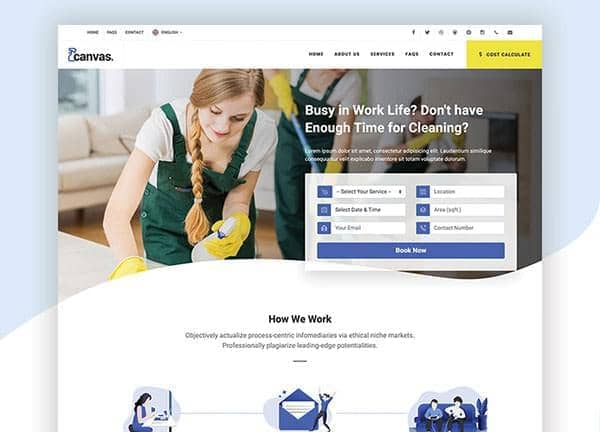
Canvas ships with a dedicated Cleaner demo for anyone running a residential or commercial cleaning service and looking for a no-fuss online presence. The single demo page, demo-cleaner.html, pulls together the most common sections a cleaning brand needs: a confident hero with a service pitch, an about blurb, a list of services with short descriptions, a process or feature row, testimonials from past clients, frequently asked questions, and a contact block with a quote request form. Everything is laid out with stretched rows, a full-width header, a medium header size, and no inner borders so the layout feels open and easy to scan.
The design personality is calm, dependable, and professional. A single accent color, a clean blue at #335EEE, does the work of guiding the eye to calls to action and key information without overwhelming the page. Type is set in Canvas's default fonts, which keep reading comfortable on phones and desktops. It is the kind of template a small cleaning team can hand to a developer and have a trustworthy, conversion-ready site online in a single afternoon.
What's included
| Page | Description |
|---|---|
demo-cleaner.html |
The single Cleaner demo page that assembles hero, services, process, testimonials, FAQ, and a contact form into a straightforward landing experience for a cleaning business. |
The demo's own styles live in demos/cleaner/cleaner.css. Shared framework styles come from style.css and css/font-icons.css.
The full editing guide is in the dashboard
Step-by-step customization, the complete settings reference, and copy-paste code are available to registered Canvas users. Creating an account is free.
Required files
CSS: demos/cleaner/cleaner.css