
Motion Graphics Demo: Included Pages & How to Customize It
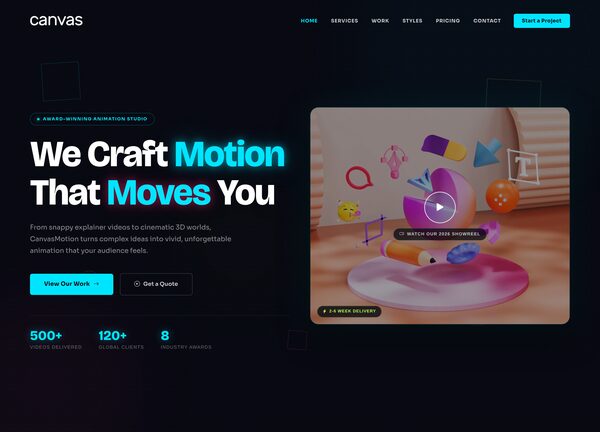
CanvasMotion is built for motion graphics studios, animation houses, and independent animators who want a portfolio site that matches the energy of their work. The demo leans into a stretched, dark layout with a transparent header, letting the reels and visuals stay in the spotlight while navigation stays out of the way.
Typography pairs Bricolage Grotesque with Sora for a contemporary, technical feel that reads well over video and animation. The accent color is a bright cyan (#00E5FF), used sparingly to highlight links, buttons, and active states against the dark canvas. It ships with a single demo page tailored to the motion graphics niche.
What's included
| Page | Description |
|---|---|
demo-motion-graphics.html |
The Motion Graphics demo combines a fullscreen reel, studio services, showreel gallery, and contact section into one continuous dark layout. |
The demo's own styles live in demos/motion-graphics/motion-graphics.css. Shared framework styles come from style.css and css/font-icons.css.
The full editing guide is in the dashboard
Step-by-step customization, the complete settings reference, and copy-paste code are available to registered Canvas users. Creating an account is free.
Required files
CSS: demos/motion-graphics/motion-graphics.css