
Fly Fishing Guide Demo: Included Pages & How to Customize It
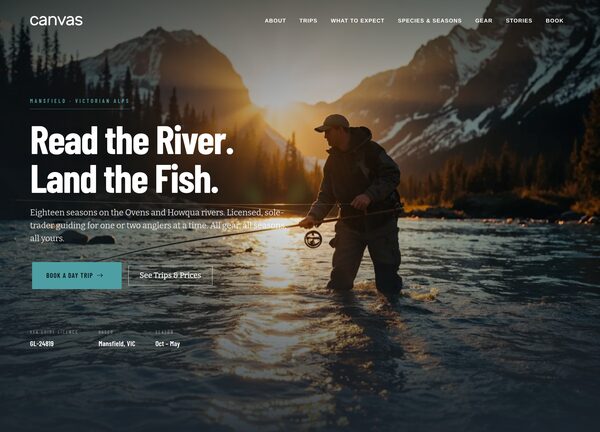
The Fly Fishing Guide demo turns Canvas into a ready-made site for an independent fly fishing guide working on freshwater rivers. It is built for guides, outfitters, and small lodges who want a clean, trustworthy web presence without commissioning a custom build, and it pairs a stretched, light layout with a deep slate theme color that lets photography of water, rivers, and tackle do the talking.
The demo ships with a single demo page that bundles every section a guide needs: a hero introducing the guide, a services block listing the rivers and trip types offered, a photo-rich look at the experience, and a contact section for bookings and inquiries. Bitter handles the display type while Barlow Condensed keeps navigation and metadata tidy, giving the site a confident, field-guide feel suited to a river-based business.
What's included
| Page | Description |
|---|---|
demo-fly-fishing-guide.html |
Tom Alcott - Guided Fly Fishing on the Ovens & Howqua Rivers, Victorian Alps serves as the complete demo page, presenting the guide's bio, the rivers he fishes, trip options, gallery imagery, and a contact area for prospective clients. |
The demo's own styles live in demos/fly-fishing-guide/fly-fishing-guide.css. Shared framework styles come from style.css and css/font-icons.css.
The full editing guide is in the dashboard
Step-by-step customization, the complete settings reference, and copy-paste code are available to registered Canvas users. Creating an account is free.
Required files
CSS: demos/fly-fishing-guide/fly-fishing-guide.css