
Burger Demo: Included Pages & How to Customize It
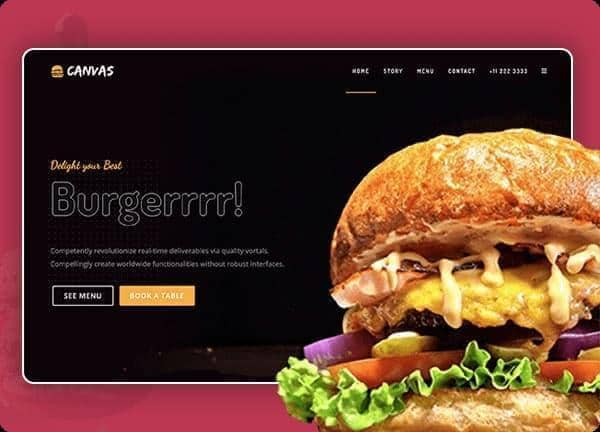
Canvas is a multipurpose HTML5 template, and the burger demo is built for independent burger joints, neighbourhood grills, and modern food delivery services that want a confident online presence without building from scratch. The layout uses a stretched structure with a dark base and the warm accent colour #FBAF32, paired with Dosis, Open Sans, and Dancing Script to give menus, locations, and order calls a friendly restaurant feel.
The demo ships with a single homepage that walks visitors from a hero pitch through the menu, story, and contact details, so a small team can launch a complete burger site quickly. Every section is tuned to the niche: large appetite driven food photography, clear pricing for combos and sides, delivery and reservation prompts, and customer reviews that build trust before the order button is clicked.
What's included
| Page | Description |
|---|---|
demo-burger.html |
Burger Restaurant & Food Delivery landing page combining a hero, signature menu with combos, about story, delivery and reservation sections, customer reviews, and a contact footer for a complete restaurant site. |
The demo's own styles live in demos/burger/burger.css. Shared framework styles come from style.css and css/font-icons.css.
The full editing guide is in the dashboard
Step-by-step customization, the complete settings reference, and copy-paste code are available to registered Canvas users. Creating an account is free.
Required files
CSS: demos/burger/burger.css