
AI Coding Demo: Included Pages & How to Customize It
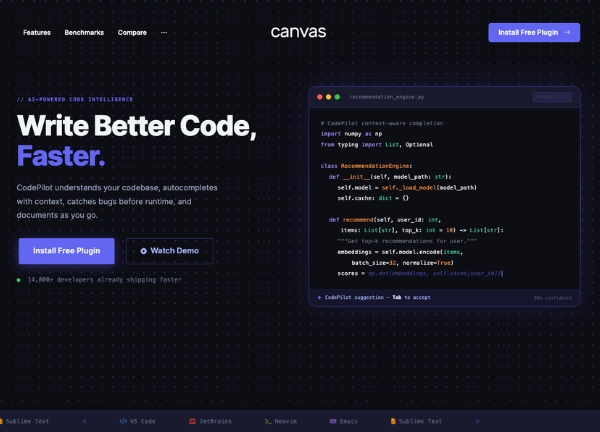
Canvas ships a complete AI coding assistant demo built around CodePilot AI, a fictional intelligent coding companion designed for indie developers, startup engineering teams, and technical content creators. The demo presents a focused, product-led narrative that walks visitors from problem statement to feature breakdown to pricing, making it well suited for marketing an IDE plugin, a CLI tool, or a SaaS for developers.
The design leans into a modern developer aesthetic with a stretched dark layout, a transparent header that lets hero artwork breathe, and a muted indigo accent palette anchored on #6366f1. Typography follows the Canvas defaults for consistency across the wider template family, while the overall personality feels technical, confident, and quietly energetic without drifting into hype.
What's included
| Page | Description |
|---|---|
demo-ai-coding.html |
Landing page for CodePilot AI that introduces the assistant, showcases core coding features, and presents pricing tiers in a single dark-themed scroll. |
The demo's own styles live in demos/ai-coding/ai-coding.css. Shared framework styles come from style.css and css/font-icons.css.
The full editing guide is in the dashboard
Step-by-step customization, the complete settings reference, and copy-paste code are available to registered Canvas users. Creating an account is free.
Required files
CSS: demos/ai-coding/ai-coding.css