
AI Social Media Demo: Included Pages & How to Customize It
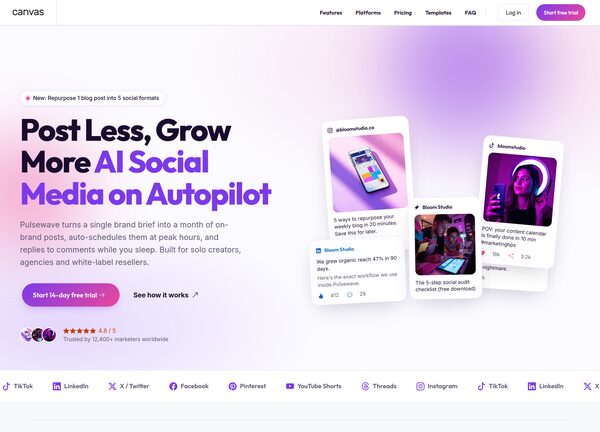
Pulsewave is a Canvas demo built for AI powered social media tools that schedule, generate, and optimise content for their users. It targets founders, product marketers, and growth teams who need a confident landing page that explains a complex product in plain language.
The demo ships with a single homepage that covers the product pitch, feature highlights, workflow walkthrough, integrations, pricing, testimonials, and a footer with calls to action. Visual personality is driven by the #7C3AED purple accent, the geometric Outfit display face for headlines, and the highly legible Inter for body copy. The layout uses a stretched full width container with a compact header and no sticky behaviour, keeping the focus on the content flow.
What's included
| Page | Description |
|---|---|
demo-ai-social-media.html |
The Pulsewave homepage presents the AI social media scheduler as an autopilot platform, combining hero, features, workflow, integrations, pricing, and social proof on a single page. |
The demo's own styles live in demos/ai-social-media/ai-social-media.css. Shared framework styles come from style.css and css/font-icons.css.
The full editing guide is in the dashboard
Step-by-step customization, the complete settings reference, and copy-paste code are available to registered Canvas users. Creating an account is free.
Required files
CSS: demos/ai-social-media/ai-social-media.css