
New Construction Demo: Included Pages & How to Customize It
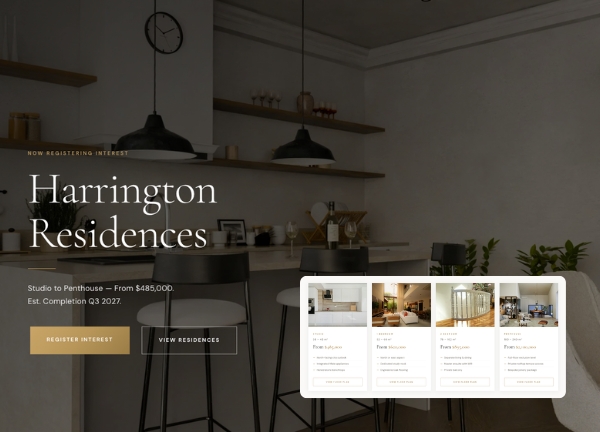
Harrington Residences is the New Construction demo for Canvas, built for developers, builders, and real estate agencies marketing newly built homes, townhouse projects, and mixed-use developments. It pairs a warm gold palette with clean, modern typography to give property listings and project showcases a confident, premium feel that suits the high-value nature of new builds.
The demo ships with a complete set of pages including home, about, available residences, floor plans, neighborhood guide, amenities, gallery, blog, and contact, giving you everything needed to launch a full sales or pre-construction marketing site. The stretched layout and light theme keep the focus on floor plans, renderings, and project photography, while Canvas's flexible block system makes it easy to swap in your own branding, copy, and imagery.
What's included
| Page | Description |
|---|---|
demo-new-construction.html |
The Harrington Residences Melbourne home page, showcasing a flagship new-build development with project highlights, residence overview, floor plan teasers, neighborhood section, and calls to action for inquiries and bookings. |
The demo's own styles live in demos/new-construction/new-construction.css. Shared framework styles come from style.css and css/font-icons.css.
The full editing guide is in the dashboard
Step-by-step customization, the complete settings reference, and copy-paste code are available to registered Canvas users. Creating an account is free.
Required files
CSS: demos/new-construction/new-construction.css